
macOS
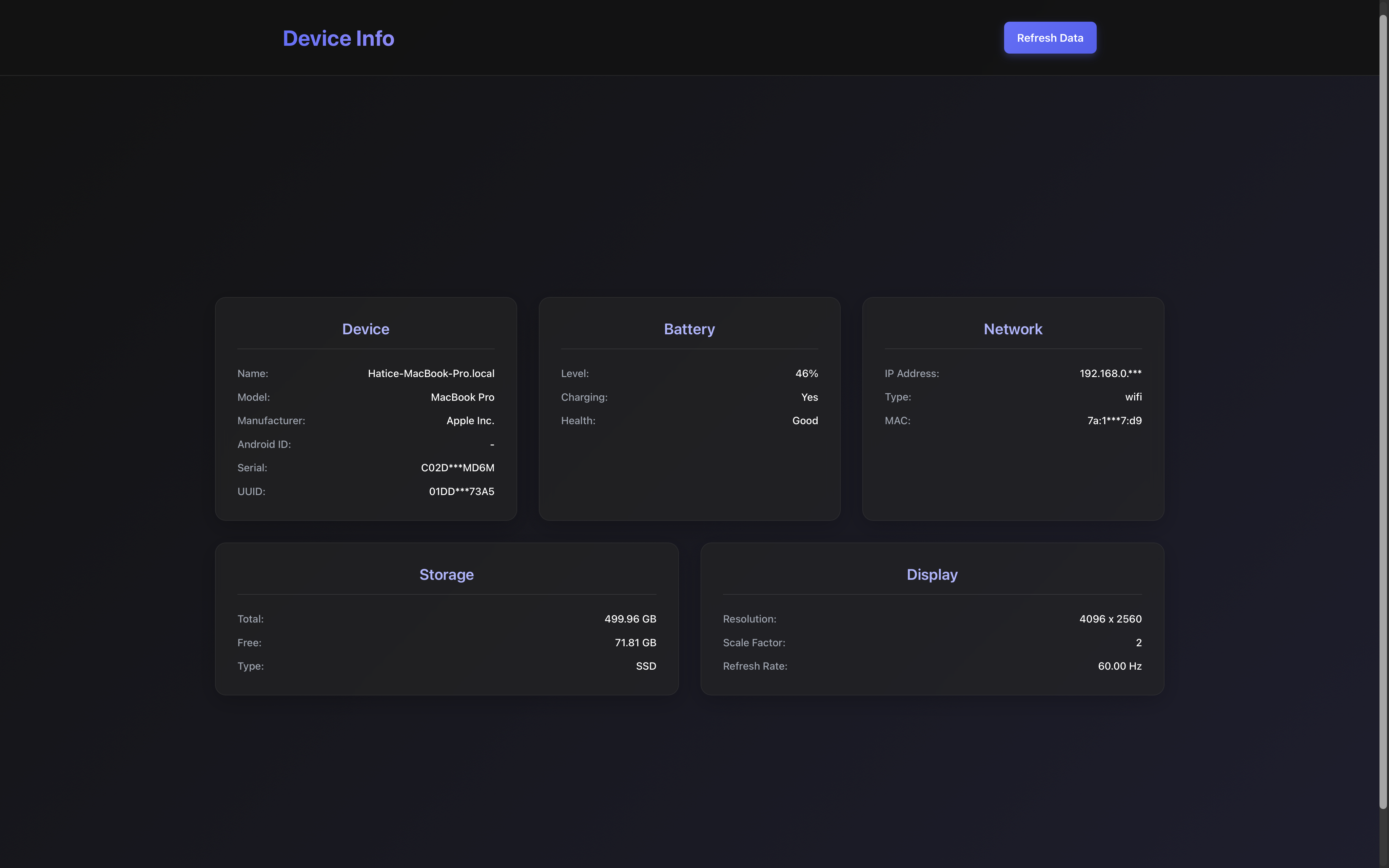
Implementation
macOS support uses native Apple tools and frameworks.
Technologies Used
- system_profiler - Hardware information
- CoreGraphics - Display properties and refresh rate
- pmset - Battery information
- sysinfo crate - Storage and network
Data Sources
| Information | Source | Command/API |
|---|---|---|
| Model | system_profiler | SPHardwareDataType -json |
| UUID | system_profiler | platform_UUID |
| Serial | system_profiler | serial_number |
| Battery | pmset | pmset -g batt |
| Refresh Rate | CoreGraphics | CGDisplay.displayMode() |
Testing Commands
bash
# Hardware info (JSON)
system_profiler SPHardwareDataType -json

# Formatted output
system_profiler SPHardwareDataType -json | jq '.SPHardwareDataType[0]'

# Battery status
pmset -g batt

# Hostname
hostname
Special Notes
Manufacturer
The manufacturer is always returned as "Apple Inc." since all Macs are made by Apple.
Device Name
On macOS 12+, the device name requires special access. The plugin falls back to hostname if unavailable.
ProMotion Displays
For ProMotion displays (variable refresh rate), refreshRate may return null or the maximum rate.
Example Output
json
{
  "deviceName": "MacBook-Pro",
  "manufacturer": "Apple Inc.",
  "model": "MacBook Pro",
  "uuid": "12345678-1234-5678-9ABC-DEF012345678",
  "serial": "C02ABC123DEF"
}